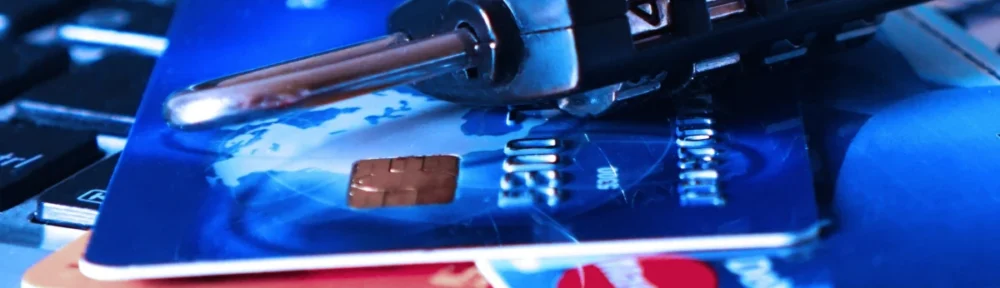
Anyone seriously delving into the topic of computer security quickly encounters the issue of password security. Horror stories and myths can easily make you feel like you’re tilting at windmills, like Don Quixote. While proper password management isn’t entirely straightforward, we’re not as helpless against potential attackers as it might initially seem.
Before we dive into the details, it’s essential to understand a fundamental principle: security and convenience are mutually exclusive. The more meticulously a security concept is implemented and enforced, the more cumbersome it becomes in daily use. Therefore, it’s crucial to find a sensible and practical compromise between protection and usability. So, let’s approach this topic step by step to dispel any misconceptions or half-truths.
Basically, we distinguish between two use cases. Authentication ensures that I am indeed the person I claim to be. Authorization ensures that I can only perform actions for which I am authorized. This article deals exclusively with authentication, i.e., logging into a device or service.
When we want to protect a service or device we use from unauthorized access, we essentially put a digital lock on it. The key to this lock is our password. Just like in real life, there are many analogies in the digital world. If we have friends visiting and give them a copy of our house key, they could theoretically make a copy of the key without our knowledge and enter our home without our permission. That’s why we only give our keys to people we trust. It’s similar with the password we use to access digital services like streaming, computer games, or social media. Imagine we want a website and hire someone to create it for us. To make the website accessible online, several contracts need to be signed for servers, domains, and possibly additional software licenses. If I don’t have the technical expertise to handle these things myself, I need someone I trust to take care of them. To ensure this works, I need to give this person my login credentials for the technical systems. As long as I get along well with this person, it’s usually not a problem. Things only get complicated when, for whatever reason, the collaboration breaks down. Then I should at least have the technical knowledge to check my accounts and change the login credentials.
This example also illustrates another problem. If you use the same login credentials for everything you use online, this person could also access my email inbox or do other things in my name in the digital world. That’s why the most important rule of computer security is: never use the same password for multiple services. Of course, there are many other rules of conduct that should be followed when dealing with password security. I’ve made it a habit not to differentiate between my professional and private life. This way, my behavior becomes a habit, and I minimize the possibility of making mistakes.
Before we consider what constitutes a reasonable password with sufficient protection, we need to understand an important concept: the ability to try all possible combinations until the correct key is found. In IT jargon, this concept of systematically trying all possible combinations is called brute force. So, if you lock your bike in an unguarded location with a combination lock that only has four digits, it’s not truly secure. A potential thief only needs to try all the combinations in sequence, starting with 0000, until the lock opens. Even taking your time, testing all possible combinations up to a maximum of 9999 takes no more than 30 minutes. This example leads us to two conclusions. If the bike is parked in a busy location where it would be noticeable if someone fiddled with the lock for more than 5 minutes, this level of protection is sufficient. The second conclusion is that the time required to try all the numbers increases with each additional digit. The technical implementation can become extremely complex, depending on the required level of protection.
One measure website operators use is called information minimization. If you make a mistake during login, you only receive feedback that the login was incorrect. This means we don’t find out whether the user account we’re logging in with is the correct one or whether the password is wrong. The combination of username and password must be correct.
The number of attempts to log in to an existing user account is also limited. Generally, you have three attempts to enter the correct password. Typos or the Caps Lock key can quickly lead to failed attempts. If you enter the password incorrectly a fourth time, a time lock is activated, and you have to wait, for example, five minutes before you can enter the password again. Each subsequent failed attempt doubles the time limit. To allow website operators to gather more information about attackers, up to 100 failed attempts are permitted and logged. However, if you successfully log in in the meantime, the counter is reset. It is important that the operator monitors these processes and takes measures to protect the user account upon detecting attacks. This can sometimes lead to the temporary deactivation of the account. We can see that limiting resources is an essential measure to prevent users from trying all possible password variations indefinitely.
Of course, choosing a strong password is also important. As we’ve already seen, the number of characters is a crucial detail. The number of possible combinations also increases if you expand the character set. With the numbers 0 to 9, we have exactly 10 possibilities per position. If our password has 4 characters, that’s exactly 9999 combinations. In many cases, such as with a bank card, this is sufficient, because after 3 incorrect attempts, the card is blocked. If you try your luck at an ATM, the card will even be confiscated.
If we expand our character set of numbers with uppercase and lowercase letters plus some special characters, we quickly reach a number of combinations exceeding 60 characters per password position. The number of characters varies depending on the language. German, for example, offers the letters ä, ö, ü, and ß, which do not appear in the English alphabet. As we can see, there are cultural differences when it comes to passwords. The characters a-z, A-Z, and 0-9 already offer 62 combinations. A password with 4 characters therefore has (62 * 62 * 62 * 62) = 624 = 1,4776,336 combinations. A person trying all of these combinations would take a very long time. A computer, on the other hand, would only need a few minutes. Therefore, for a secure password, it is necessary to mix as many different characters as possible—numbers, uppercase and lowercase letters, etc.—and to use at least 15 characters. Such passwords are, of course, not easy to remember. Things get more complicated when you have to manage a large number of different passwords. This is where password managers like KeePass, with appropriate browser plugins, provide optimal support. Solutions that suggest storing passwords in the cloud with a company may have good intentions, but they are also popular targets for hackers. This is one reason why, for me, only an offline password manager on my own computer is an option.
With all this knowledge, one might conclude that passwords don’t offer good protection and that it’s better to use other mechanisms. In fact, there are plenty of established solutions, most of which are based on the concept of biometrics. We are familiar with the concept of fingerprint analysis from police investigations. We assume that our bodies have biometric characteristics that no other person possesses, thus allowing our identity to be confirmed beyond doubt. For many years, devices like laptops have had the capability to scan fingerprints and thereby grant access to the device. Besides fingerprints, iris scans and facial recognition are also among the unique biometric features.
What seems very clever at first glance could quickly prove to be a security vulnerability in practical use. The most popular example is Face ID, which allows you to unlock your smartphone using the camera, among other things. Imagine the unpleasant situation where someone forcibly steals your phone, and before the thief is caught, they simply unlock it by holding it up to your face, thus disabling all security checks on the device. While it’s true that stress during such a robbery would severely limit the possibilities, this possibility cannot be completely ruled out. It’s merely a description of a conceivable situation in which strangers could gain unauthorized access to a protected device through biometrics. Therefore, biometrics can only be a supplement to the existing security concept, not the primary measure. Furthermore, it remains unclear how and where the biometric data is stored to protect it from misuse.
Modern security concepts are based on several interconnected components. In addition to a password, various other factors are now used when logging into systems. Two-factor authentication is widely used, where, in addition to the password, the second factor is something you personally possess that no one else can easily access. Currently, the second factor is often a phone number via SMS or email. The application sends a unique code to the registered phone number or email address, which is only valid for a few minutes and then expires. After successful password verification, the security code must be entered. As long as it can be ensured that no one gains access to the second factor, for example, if the phone is stolen, this method is very secure. However, anyone who has ever lost their phone and couldn’t quickly obtain a replacement SIM card with the same phone number has already experienced the vulnerability of this security concept firsthand. This is precisely what makes a robust and strong security concept, one that offers reliable protection even in difficult situations while still allowing for a justified reset.
A security concept can be extended by adding new layers with additional factors, structured like a chain. This is where the term N-factor comes from. The N is a placeholder for the built-in layers. However, it must also be said that the more layers are involved, the more impractical the intended solution becomes for users. Let’s therefore briefly look at the possible factors that can come into play.
- Knowledge: Password, PIN
- Ownership: Email, token, phone number
- Biometrics: Fingerprint
- Location: GPS, IP address
- Time: Expiration authentication codes
- Behavior: Typing speed
- Device: Laptop, smartphone, tablet
If we look more closely at this list, we recognize many fragments that are used in various combinations in modern web services. The goal is to strengthen password protection so that even careless users cannot become a gateway for abuse. Because in IT security, too, the principle applies that a chain is only as strong as its weakest link.
Of course, we could only touch upon this topic in this article, and there is much more to mention. For example, we completely omitted the area of cryptography. However, these are topics that are primarily relevant for IT professionals and programmers. For instance, on this blog, you can read an article that deals with the secure storage of passwords in databases. Since I have been working more intensively on reconstructing stolen password hashes as part of the current AI trend, I am quite aware of how important the concepts described in this article and their application are. By cleverly choosing possible combinations, the number of possibilities to be searched can be drastically reduced, thus saving considerable computing power. It is safe to assume that in the foreseeable future we will see a very technical article in the Pentesting category about the possibilities of cracking passwords.


Leave a Reply
You must be logged in to post a comment.